Day & seven-day calendars
See visits on a time grid. Switch to a focused day or look across the next seven days.
YOUR EVERYDAY WORK, TOGETHER
Practical tools for the business behind your craft.
Here’s what you can use in ClientWillow today.
One place to plan your appointments and keep the next visit on the books.
See visits on a time grid. Switch to a focused day or look across the next seven days.
Book multiple services, keep notes, adjust visit times, and see warnings for overlaps or visits outside working hours.
Save a client’s usual visit frequency and look for openings when booking their next appointment.
Preview an ICS or ZIP export, match clients and services, and review duplicates before importing.
Keep the practical details and personal touches in the same place.
Store contact details, preferences, color formulas, notes, and past visits. Archive clients when needed.
Create service groups, set prices and durations, and update or retire services as your business changes.
Client enrollment, number verification, reminder lead times, and opt-outs. Live delivery requires an approved Twilio configuration.
Open your workspace in a desktop or mobile browser, with email/password or Google sign-in when configured.
A clearer view of what came in, what went out, and the work behind it.
Review performed services, record discounts, tax, and tips, then create a receipt. Record full refunds when needed.
Start with Cash, Venmo, Check, and Other. Add, rename, or remove methods in Settings.
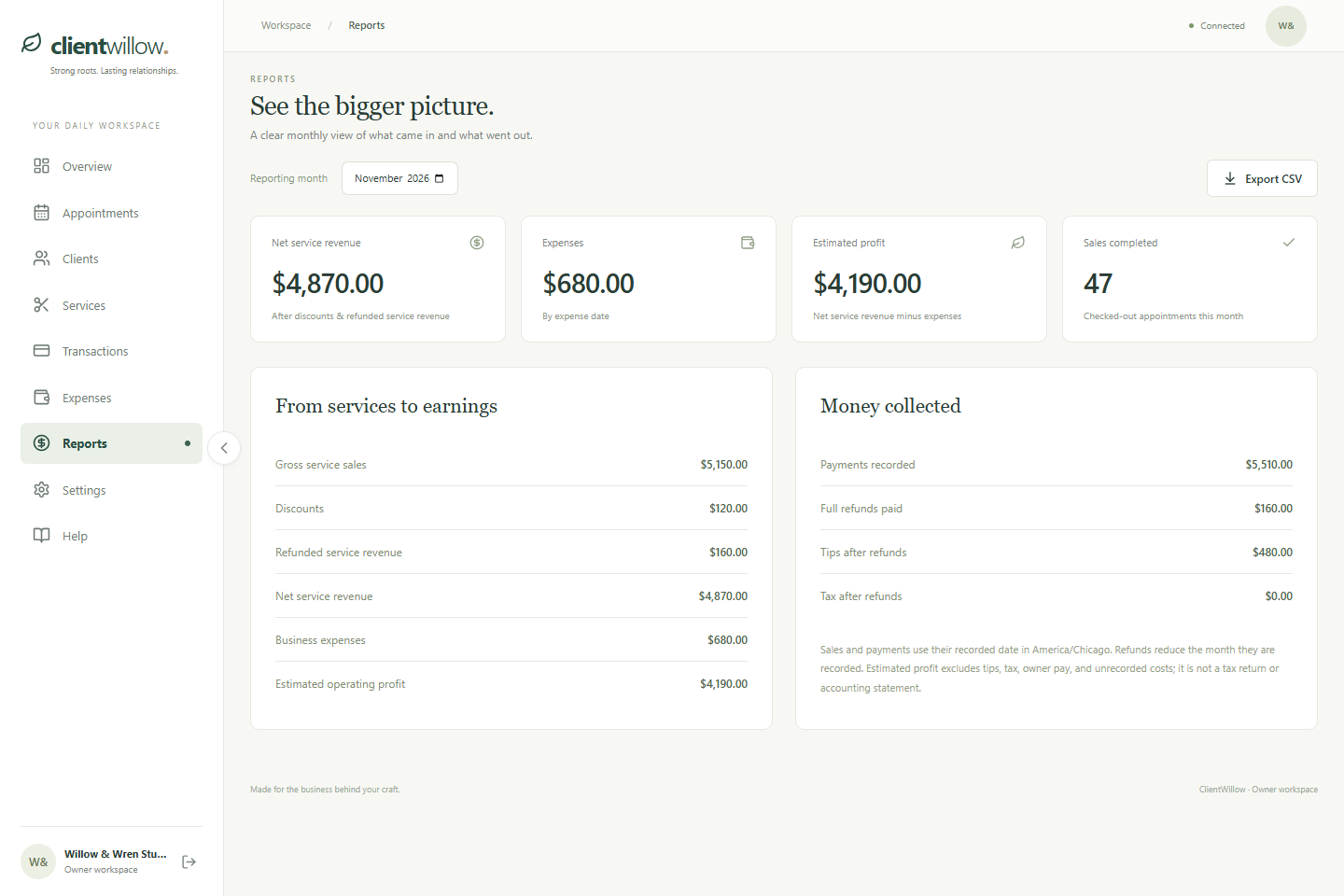
Record business spending and review revenue, payments, refunds, expenses, and estimated operating profit.
Download monthly records to work with outside your workspace.
THE NUMBERS, A LITTLE CLEARER
Monthly summaries help you keep track of recorded revenue and spending. Payments are collected through your own tools; ClientWillow keeps the records together.
A few useful things to knowSTRONG ROOTS. LASTING RELATIONSHIPS.
Your clients, your calendar, and the business behind your craft.
A little more organized. A little more you.